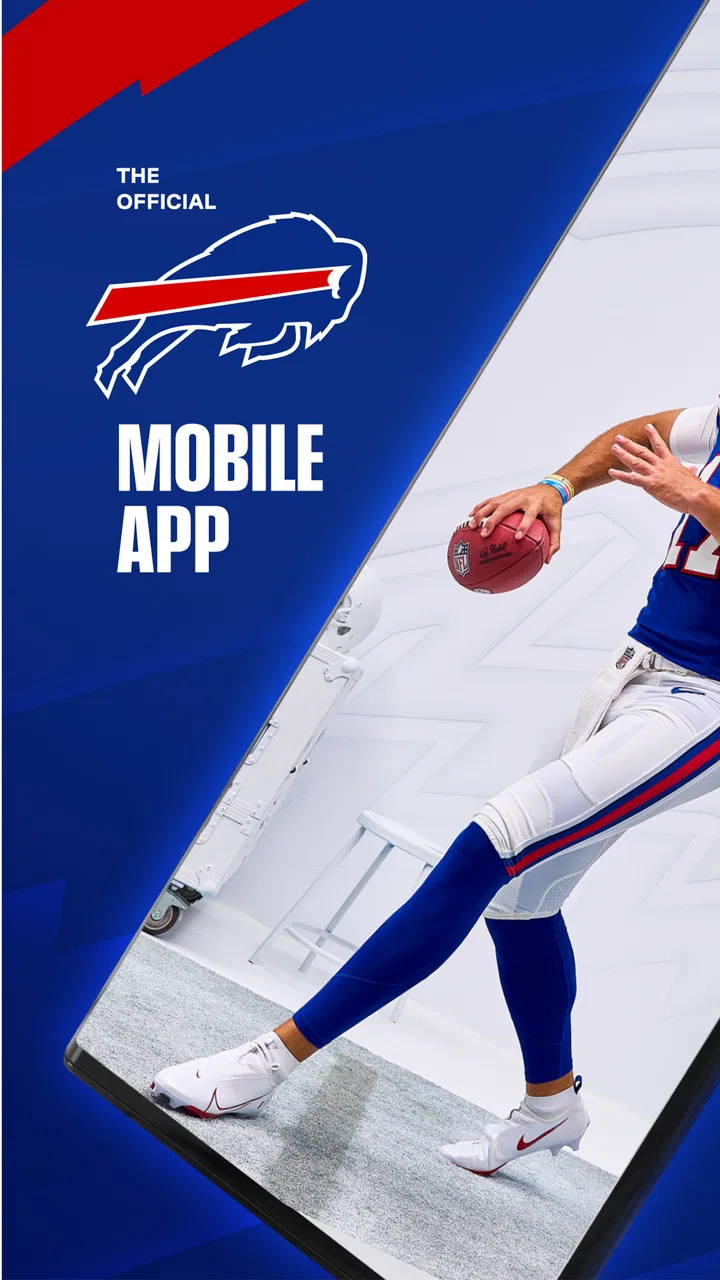
Buffalo Bills Mobile
- 4.3
- Rating
- 100.00K
- Installs
- Free
- Price
 Analysis by App-foxy
I approached Buffalo Bills Mobile as a companion for following the Buffalo Bills rather than as a general sports platform. That distinction matters. If the Bills are the team you check before work, during a busy afternoon, or while watching a game with friends, having their official app in one place feels more focused than sorting through a broad sports service. If you want scores and headlines from many leagues, another app may suit you better.
This is a free sports app from YinzCam, Inc., and its central appeal is simple: it puts the Buffalo Bills at the center of the experience. I found that focus useful because it reduces the clutter that often comes with large sports apps. The audience is also broad on paper, with an Everyone content rating, so it is easy to recommend to families and casual supporters as well as committed fans. Its current version is 3.7.2, and it runs on operating systems starting with version 10.
How the app feels when the network is doing the work
The most important part of using a team app is not the icon or the menu design; it is how quickly useful information appears when I actually need it. Buffalo Bills Mobile is at its best when I have a reliable connection and want a team-specific view of what is happening. Opening a dedicated Bills app feels more direct than opening a general news reader, searching for the team, and filtering out unrelated stories.
You May Also Like

 Blood Strike: 2.5 Anniversary
Blood Strike’s Loadouts Turn Every Drop Into a Tactical Gamble
A close look at Blood Strike’s custom loadouts: how fast access to signature weapons reshapes its battle royale rhythm, rewards preparation, and narrows the gap between fights.

 Pandora - Music & Podcasts
Pandora’s Music Is Easy to Start, but Harder to Recover
Pandora’s strength is its low-effort path from a seed to a station. Its weak spot is how much confidence it asks you to place in connection, setup, and quiet recovery.

 8 Ball Pool
 Is Built on Rivalries, Rematches, and Routine
A close look at the rivalries, rematches, shared routines, and unanswered safety questions that turn a quick pool match into a persistent mobile community.

 Samsung Music
’s Quiet Strength Is Playing What You Already Own
Its reach comes less from spectacle than from dependable access to a personal library. That simplicity is both the app’s strongest retention engine and its ceiling.

 AccuWeather: Weather Radar
AccuWeather Review: A Quick, Clear Forecast for Everyday Decisions
For everyday plans, the best forecast is the one you can understand quickly. AccuWeather makes rain timing, radar, and local conditions easy to act on, with a few trade-offs.

 Hill Climb Racing
Why Hill Climb Racing Still Turns Crashes Into One More Run
A tiny car, a bumpy hill and one more upgrade: Hill Climb Racing keeps resurfacing because its simple chaos makes every near-miss feel personal.
More From Our News Desk
View All News


That network dependence shapes the experience. A team app is most valuable when information is changing, so live or recently updated material naturally depends on the app reaching its online services. I would not treat it as a replacement for saved notes or a fully self-contained reference. Before leaving home for a game or a long trip, I prefer to open the sections I expect to use while my connection is strong rather than assume that every page will behave identically later.
There is a practical rhythm to this. I might check the app in the morning for the latest Bills context, return to it during a break to see whether anything has changed, and then use it again around kickoff. That repeated checking is where an official team app earns its place. It keeps the team in front of me without making me build a custom collection of searches and sports pages.
The trade-off is that a narrow focus can feel limited outside Bills-related moments. A broad sports app is usually better when I want several teams, different competitions, fantasy information, or a single scoreboard covering a whole day. Buffalo Bills Mobile makes more sense when the question is specifically, “What is happening with the Bills?” rather than, “What is happening everywhere in sports?”
A useful routine on game day
My preferred way to use it is in short visits instead of leaving it open constantly. I check the app before the game, close it while doing other things, and return when I want a focused update. This saves battery and avoids turning the phone into a permanent distraction. It also makes the app feel like a useful reference point instead of another stream demanding attention every minute.
When I am watching with other people, the official team focus is especially convenient. Someone may ask about the latest Bills information, and I can go straight to the team’s app rather than navigate through a general service filled with unrelated teams. That small reduction in steps is one of the app’s strongest everyday benefits.
There is also a difference between using it as a primary source and using it as a second screen. For me, it works best as the latter. I can watch the game or follow a conversation while checking the phone for team-specific context. I would not expect it to replace every broadcast, newspaper, or all-purpose score service, but it can complement them without competing for the same role.
Using it in real mobile situations
The app’s value changes depending on where I am. At home on a dependable Wi-Fi connection, the experience is straightforward: I can browse at my own pace and revisit the team whenever I want. On public transport, in a crowded venue, or while walking between errands, the connection becomes part of the product. Pages may take longer to refresh, and I become more selective about what I open.
That is why I would prepare my routine rather than wait until the busiest moment. If I know I will be following the Bills away from home, I check the app before leaving and avoid repeatedly refreshing every screen. This is not just about speed. It reduces the chance that I will be staring at a loading page when I actually need a quick team update.
A realistic example is a Sunday afternoon when I am running errands during a game. I can use a short stop outside a shop to check the app, then put the phone away while moving. If the connection is weak inside a building, I would not keep tapping the same page in frustration. I would wait until I reach a stronger signal and use the app as a quick checkpoint. That approach is more dependable than treating a mobile connection as guaranteed.
In a stadium or another packed public place, the app’s usefulness depends even more on local network conditions. Many people may be trying to connect at once, and a phone can shift between Wi-Fi and mobile data. I would open the app with realistic expectations: it can be a handy team companion, but no app can make a congested connection behave like a private broadband line.
For travel, I see it as a selective tool. It is useful when I have a stable connection at a hotel, café, or station, but I would not make it my only way to know what happened in a game. If being completely disconnected is likely, I would arrange another way to keep track of essential information. The app is strongest when it has a path to current content.
Who benefits most from the focused design
Long-time Bills supporters will probably understand the appeal immediately. The app keeps attention on one team, which is helpful when I do not want a general sports feed deciding what deserves space on my screen. Newer fans can also use it as a starting point because the experience is organized around a single club rather than a huge collection of leagues and competitions.
It is also a reasonable choice for households where several people follow the Bills at different levels. One person may want to check the team quickly, while another may spend more time browsing. Because the app is free, there is no purchase decision standing between a curious supporter and the basic experience. That makes it easy to try without committing to a subscription simply to see whether a team-focused tool fits a daily routine.
I would be more cautious about recommending it to someone who follows many teams equally. A national or international sports app may offer better comparison, broader schedules, and more efficient switching between clubs. Buffalo Bills Mobile is deliberately specialized, and specialization is helpful only when the team at the center is the one you actually care about.
What happens when the connection fails
Connectivity problems are not a minor detail here because the app’s purpose involves timely team information. If a page does not load, I first check whether other apps are working. When the wider connection is the problem, repeatedly reopening Buffalo Bills Mobile rarely helps. I close it, move to a stronger signal, and try again later. That simple recovery habit prevents a temporary network issue from becoming a reason to uninstall the app.
If the app itself appears slow while other services work, I would fully close and reopen it before making a bigger judgment. I also prefer updating the app when an update is available, especially because I am using version 3.7.2 rather than an old installation. Keeping the application current is a sensible first step for any mobile service that depends on changing online content.
The frustrating scenario is needing information at exactly the moment a connection is unreliable. A general browser search may sometimes provide an alternative route, while a broad sports app may already have cached more of the information I want. This is one reason I would not rely on a single app during an important game or while traveling. Buffalo Bills Mobile can be my team-specific option, but redundancy is sensible when timing matters.
I also found that recovery is easier when I use the app in short sessions. If I leave it open for a long period and then expect every screen to be current, I may spend more time figuring out whether I am seeing fresh information or waiting for a refresh. Reopening the relevant section when I return gives me a clearer starting point and avoids the habit of assuming that an old screen has updated itself.
Small habits that make the experience less frustrating
- Check before the busy moment: I open the app before entering a crowded venue or traveling through an area with uncertain coverage.
- Use it as a focused checkpoint: Short visits are more practical than constant refreshing, especially during a game.
- Keep a second source in mind: A general sports service or broadcast is useful when a network problem makes the official app temporarily inaccessible.
- Separate connection problems from app problems: Testing another service helps me decide whether to wait, move, or restart the app.
These habits do not add features that are not there; they simply match the app to the conditions in which a phone is actually used. The best experience comes from treating it as an online companion, not as a guaranteed offline archive.
Managing attention and mobile data
Because the app is free, the main cost for me is not money but attention and, depending on how often I use it, mobile data. A team app can encourage frequent checking, particularly around a game. I prefer deciding in advance when I want updates instead of opening it automatically every few minutes. That keeps the Bills in my routine without letting the app take over the routine.
On mobile data, I use a simple rule: browse deliberately when I am away from Wi-Fi and avoid refreshing screens just to see whether anything has changed. If I am on a limited plan, I would be especially careful around media-heavy areas and repeated reloads. The exact impact depends on how I use the app and what the current content requires, so my practical advice is to monitor the phone’s own data controls rather than guess.
This approach also helps with battery life. A phone that is searching for a weak signal, refreshing frequently, and displaying media can feel drained faster than one used for a few purposeful checks. I would not keep the app running throughout an entire day unless I had a specific reason. Opening it when I need Bills information and closing it afterward is a better balance for ordinary use.
Notifications deserve the same kind of judgment. If I want the app to remain quiet, I can keep my attention on the sections I choose to visit instead of allowing every possible alert to shape my day. If I enjoy immediate team news, notifications may be worthwhile. The right choice depends on whether I want the app to come to me or prefer to check it on my own schedule.
There is a useful distinction between being informed and being interrupted. For a committed fan following a live game, quick alerts can make sense. For someone who checks the Bills once or twice a day, constant prompts may add noise without adding much value. I would set the app up around my real level of interest rather than assuming that more alerts automatically create a better experience.
How it compares with broader sports alternatives
Compared with a general sports app, Buffalo Bills Mobile gives me a clearer identity. I do not have to filter through a large number of teams to reach the Bills. That can make the app feel faster even when the raw loading time is similar, because the mental work is lower. I already know why I opened it.
The broader alternative wins when my interests are spread across several teams or sports. If I am tracking many results at once, comparing standings, or switching between unrelated competitions, one team’s official app may feel too narrow. I would use a general service for the wide view and Buffalo Bills Mobile for the Bills-specific view.
Compared with social media, the official app offers a more intentional destination. Social feeds can be lively, but they also mix opinion, unrelated posts, arguments, and algorithmic recommendations. I prefer the team app when I want to check information without being pulled into a much broader conversation. Social platforms may still be better for fan reactions and informal discussion, but they are not as focused.
Compared with a mobile browser, the app saves me from repeating the same search and navigating through pages that were not designed around my routine. The browser remains a useful fallback when the app is unavailable or when I need information beyond the Bills. For regular supporters, though, a dedicated app is more convenient because the team is already the starting point.
The store presence reflects a substantial audience, with an average rating of 4.3 from around 9.9 thousand ratings and over 100 thousand installs. I treat those figures as a sign that the app has found a real user base, not as proof that every fan will have the same experience. Network quality, notification preferences, and the desire for broader sports coverage will still determine whether it fits.
Questions I would ask before installing
If you are wondering whether it costs anything, the app is free. That makes it easy to test alongside a broader sports service rather than forcing an either-or decision. I would install it if the Bills are my main team and remove it only if the narrow focus does not justify another icon on my phone.
If you are unsure whether it suits a younger fan, its content rating is Everyone. That makes it broadly accessible, although families should still use their own judgment about screen time and notifications. The rating does not change the app’s basic identity as a team-focused sports companion.
If your phone is older, the important compatibility point is the minimum operating system requirement of 10. I would check the device software before planning to use it on an older handset. This is a quick step that avoids downloading an app only to discover that the phone cannot run the current release.
If you want to know who maintains it, the developer is YinzCam, Inc. That is useful context when comparing it with unofficial fan-made apps or browser pages. I prefer an official team app when I want a direct, focused home for Bills information, while unofficial sources may be more appealing for independent commentary or community discussion.
If you are asking whether it replaces a full sports subscription, I would say no. Its role is narrower and more practical: it gives Bills supporters a dedicated mobile destination. I would keep another service for wide sports coverage, live viewing, or backup access when connectivity becomes unreliable.
My connectivity verdict
After using Buffalo Bills Mobile as a focused team companion, I see its biggest strength in the way it reduces the distance between me and the Bills. It is free, easy to understand as a product, and more purposeful than a general sports app when one team is the reason I picked up my phone. The official connection to the club is also more reassuring to me than relying only on scattered searches or social posts.
Its main limitation is equally clear: the experience is tied to the quality of the connection and to how much Bills-specific content I actually want. I would not choose it as my only sports app, and I would not depend on it as my sole source during a trip through unreliable coverage. Those are not deal-breakers; they simply define the app’s proper role.
My recommendation is straightforward. Install it if you are a Buffalo Bills supporter who wants a dedicated place to check the team, especially around game time or during a busy day when a general sports feed feels excessive. Use it in short, deliberate sessions, prepare before entering weak coverage, and keep a broader sports option nearby if you follow more than one team.
The best reason to keep Buffalo Bills Mobile is focus, not breadth. When the Bills are the story I care about, that focus makes the app convenient and pleasantly direct. When I need the whole sports world, I would reach for something else. Knowing that difference is what turns it from another installed app into a useful part of my routine.
FAQs for Buffalo Bills Mobile
01What is Buffalo Bills Mobile, and what can I do with it?
Buffalo Bills Mobile is the official app for following the Buffalo Bills on Android and iOS. After installing it, fans can typically check the latest team news, schedules, scores, rosters, statistics, videos, and social updates in one place. It is designed as a convenient companion for game days, offseason news, and general team information, although available features may vary by location and app version.
02Does Buffalo Bills Mobile provide live game scores and notifications?
Yes, the app is primarily designed to keep fans updated during Buffalo Bills games and throughout the NFL season. Users can usually view live scores, game schedules, play-by-play information, news updates, and important team announcements. Push notifications can also be enabled for scores, game starts, breaking news, and other alerts. Notification settings should be reviewed after installation so you only receive the updates you want.
03Can I watch Buffalo Bills games or live video through the app?
Buffalo Bills Mobile may include video content such as highlights, interviews, press conferences, previews, and other official team programming. However, it should not automatically be considered a complete live-streaming service for every Bills game. Live game access can depend on broadcasting rights, your country, television subscriptions, and partner services. Check the current in-app information and regional availability before relying on it for live viewing.
04Does the Buffalo Bills app include tickets, stadium information, or mobile payments?
Depending on the current version and your location, Buffalo Bills Mobile may offer game-day tools such as ticket access, stadium information, event details, parking guidance, promotions, or links to official team services. Some functions may require signing in with an account or connecting to a ticketing provider. Before attending a game, update the app and confirm that your tickets and venue information are available offline or through a reliable internet connection.
05Is Buffalo Bills Mobile free, and does it require an account?
The Buffalo Bills Mobile app is generally available to download without an upfront charge, but certain services may require an account, an existing ticket, a subscription, or access through an authorized media provider. Creating an account can enable personalized notifications, ticket-related features, and saved preferences. Mobile data may also be used when loading videos, live scores, or news, so users with limited data plans should check their settings.
Pros
- Official source for Bills news
- scores
- and team updates
- Push notifications help you follow game-day developments
- Includes schedules
- rosters
- and player information in one place
- Useful for checking ticketing and stadium-related details
- Provides quick access to official team content and announcements
Cons
- Some features may require location access or account sign-in
- Live updates can depend on your internet connection
- Notification volume may feel excessive during games
- Ticket and account tools may be less useful for casual fans
- Content is focused exclusively on the Buffalo Bills

Buffalo Bills Mobile
Gallery